If you’ve ever stared at a split-second action scene, a fast-scrolling spreadsheet, or a dynamic video call and noticed a faint blur, stutter, or “lag” on your display, chances are you’ve encountered the buzzword “refresh rate.” For our team here at the TFT display supply company I run, this isn’t just a marketing term—it’s the core of what we engineer, test, and refine for every client, from industrial robotics teams to retail digital signage operators. Over the years, I’ve fielded dozens of confused calls from buyers, engineers, and even end-users asking the same question: “What exactly is the refresh rate of a TFT display, and why does it matter for my project?” Today, I’m breaking this down without the jargon, tying it to real-world use cases, and pulling back the curtain on how we measure and optimize refresh rates for TFT (thin-film transistor) displays that power everything from factory floors to medical monitors. TFT Displays

First, let’s get the basic science right, no textbook fluff. Every display—whether it’s TFT, OLED, or even the old cathode ray tube (CRT) TVs your dad might have owned—works by updating its image one frame at a time. Think of each frame as a single static snapshot; when those snapshots play back in rapid succession, your brain blends them into the smooth motion you see. Refresh rate, measured in hertz (Hz), is simply how many of these full frames a display can show every single second. A 60Hz display, for example, refreshes 60 times per second, while a 120Hz display refreshes 120 times per second. The higher the number, the more frames per second (FPS) the display can keep up with—though it’s worth noting that refresh rate and content FPS are not the same. A 60Hz display will never show more than 60 distinct frames per second, no matter how fast your computer or camera outputs them. That’s a common misconception we have to clarify for clients all the time.
But here’s where TFT displays are different from other display types, and why their refresh rate is such a critical spec for our work. Unlike OLED, which uses self-emitting pixels that turn on and off instantly, TFT displays use a backlight and a layer of liquid crystals that twist to let light through or block it. Each pixel in a TFT display is controlled by a tiny transistor (the “TFT” in the name) that acts like a light switch, toggling the pixel’s state thousands of times per second. The speed at which these transistors can switch on and off, and the liquid crystals can reorient themselves, directly dictates the display’s maximum refresh rate. Early TFT displays, which hit the mass market in the early 2000s, topped out at 60Hz for most consumer and industrial uses. Today, our premium industrial TFT displays can hit 144Hz, and even higher for specialized use cases—like high-speed vision systems used in manufacturing quality control, where a 120Hz or 144Hz refresh rate is non-negotiable to catch tiny defects on moving parts.
What do these numbers actually look like in action? Let’s use two common client projects to make this real. Last quarter, we supplied 50 10.1-inch 60Hz TFT displays to a maker of industrial machine HMI (human-machine interfaces) for assembly lines that put together car parts. Their primary concern was not gaming-style smoothness, but avoiding flicker that could cause operator eye strain during 12-hour shifts. A 60Hz refresh rate was perfect for them: it’s smooth enough to follow slow-moving assembly lines, has low power draw (a big plus for battery-powered HMIs), and avoids the costly signal interference that sometimes comes with higher refresh rates. Compare that to another client we worked with: a startup building a high-speed sorting system for postal packages, which needed to capture images of packages moving at 10 miles per hour. For this job, we supplied custom 12.3-inch 120Hz TFT displays paired with high-speed cameras that output 120 FPS. The higher refresh rate meant the display could update in lockstep with the camera, so when an operator looked at the screen to check for misprinted barcodes, they didn’t see a blurred, smeared image of the package flying by. That’s the kind of impact refresh rate has that goes way beyond a spec sheet.
Now, it’s not as simple as “higher refresh rate = better”—and that’s a mistake we see clients make all the time when they’re ordering TFT displays. For example, a medical client we work with builds portable ultrasound machines, where accuracy and low power use are more important than 120Hz smoothness. We supply them with dedicated 30Hz TFT displays that are calibrated for ultra-clear, non-blurry images of internal tissue, and the low refresh rate cuts down on battery drain, letting their machines run for 8+ hours on a single charge. If we’d pushed them for a 60Hz model, they’d have gotten a smoother image, but sacrificed battery life and precision—two non-negotiables for their industry. That’s why, when a client reaches out to us, we don’t just quote the highest refresh rate we have; we walk them through their use case, balancing refresh rate with other key specs like resolution, power consumption, and contrast ratio.
Another point that surprises a lot of people: TFT displays don’t have a single “fixed” refresh rate. Most consumer TFT displays (like the ones in laptops or tablets) let you adjust refresh rates via software—switching between 60Hz for battery saving and 120Hz for gaming or video editing. Industrial TFT displays, which are our bread and butter, often have fixed refresh rates that are calibrated for the specific environment they’ll live in. For example, outdoor digital signage TFT displays need to maintain a consistent refresh rate in extreme temperatures (from -20°F to 120°F) so the image doesn’t stutter when the sun is blaring or it’s snowing outside. We test every display we ship across temperature cycles to make sure the liquid crystals and transistors don’t slow down, which would cause the refresh rate to drop and leave viewers with a choppy image.
Wait, let’s also address a common point of confusion between refresh rate and response time, because I get this question at least once a week. Response time is how fast a single pixel can switch from one color to another—usually measured in milliseconds (ms). A 1ms response time means a pixel changes state in 1 millisecond, while a 5ms response time is slower. Refresh rate and response time work together, but they’re not the same. A display with a 120Hz refresh rate and a 10ms response time will still show blur during fast motion, because the pixels can’t switch fast enough to keep up with the high frame rate. For that reason, our high-speed TFT displays (used for sports broadcast or high-speed inspection) have sub-5ms response times paired with 144Hz refresh rates, so they work in tandem to eliminate that blur. If you’re shopping for a display that will show fast-moving content, never ask for just “high refresh rate”—always ask about response time too.
Over the past 15 years in this industry, I’ve watched TFT refresh rates evolve from a niche spec to a make-or-break feature for countless applications. When we first started as a small local TFT display supplier, most clients only cared about 60Hz, because that’s all the tech could handle. Now, we’re getting requests for 240Hz TFT displays for next-gen VR headsets, where a high refresh rate is critical to avoiding motion sickness. VR requires refresh rates of 90Hz or higher, with ultra-low latency, because if the display doesn’t update fast enough, your brain gets confused and you feel dizzy. We’ve been working with a VR startup for a year to refine a custom 120Hz TFT display for their head-mounted units, tweaking the transistor structure to reduce switching time while keeping power draw low enough for the battery packs they use. That’s the kind of innovation that keeps our team excited—because we’re not just selling a display, we’re solving a problem.
Let’s circle back to what refresh rate really means for someone not in the tech industry. If you’re using a TFT display for a home office, a 60Hz refresh rate is perfectly fine for spreadsheets, video calls, and streaming movies. You won’t notice a difference from higher rates for everyday tasks. If you’re a gamer, a designer editing 4K video, or a manufacturer inspecting moving parts, a higher refresh rate will make your work smoother, more accurate, and less tiring on your eyes. For most industrial and commercial uses, the sweet spot is between 60Hz and 120Hz—balancing performance, power, and cost.
But here’s the thing: refresh rate is only useful if it’s reliable. A lot of cheaper TFT displays on the market advertise “144Hz” but only hit that rate in ideal, controlled conditions, or have stutter because of poor circuit design. At our company, every TFT display we ship undergoes three separate refresh rate tests before it leaves our warehouse. First, we test the frame rate output via a high-speed camera to make sure it’s consistent, no dips or stutters. Second, we test it across a range of temperatures, because industrial displays are often used in warehouses, factories, or outdoor locations where temperature fluctuates. Third, we test compatibility with common interfaces like HDMI, LVDS, and MIPI, to make sure the display can keep up with the refresh rate no matter what device it’s connected to. We had a client a few years ago who bought a cheap 144Hz TFT display from another supplier, and it started stuttering after two weeks on a factory floor—turns out the transistors in the display couldn’t handle the constant vibration and temperature swings, so their refresh rate dropped to 60Hz. We replaced it with our 120Hz industrial-grade TFT display, which has a reinforced transistor layer, and they haven’t had a problem since.
If you’re reading this and you’re in the market for a TFT display, whether for a new product, a factory upgrade, a digital signage project, or anything in between, don’t get hung up on the highest refresh rate number you can find. Take a step back and ask yourself: what will this display be used for? Who will be looking at it, and in what environment? Will it be displaying slow, static content like a menu board, or fast-moving inspection footage? Will it be battery-powered, so power draw matters? Answering those questions will help you pick the right refresh rate, and the right TFT display, for your needs.
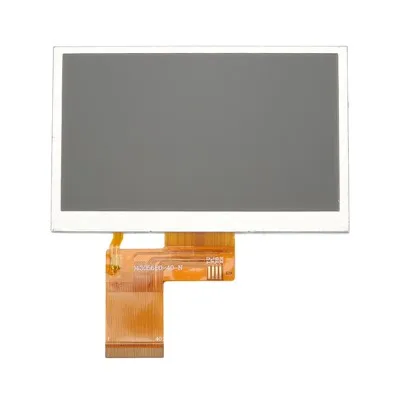
At the end of the day, refresh rate is one piece of a much larger puzzle when it comes to TFT displays. It’s a spec, but it’s also a reflection of how the display is engineered, tested, and built to perform in the real world. For us, that’s what matters most: not just selling a display that hits a number on a datasheet, but selling one that works for you, day in and day out, no matter what you’re using it for. If you’re looking for a TFT display, whether you need a standard 60Hz model for a home office or a custom 144Hz display for a high-speed industrial project, our team is here to help you navigate all the specs, including refresh rate, to find the perfect fit for your project. Reach out to us to discuss your needs, and we’ll walk you through every step of the process.
Non-Standard OLED Displays References
- Thin-Film Transistor (TFT) Display Technology: Fundamentals and Applications. Society for Information Display, 2021.
- “Refresh Rate Fundamentals for Digital Displays.” Display Journal, Vol. 18, No. 3, 2020.
- Industrial Display Specifications: Reliability and Performance Testing Standards. International Society of Automation, 2019.
- “Response Time vs. Refresh Rate: Key Considerations for Dynamic Displays.” Journal of Display Technology, Vol. 16, No. 7, 2020.
- TFT Display Refresh Rate Optimization for Extreme Temperature Environments. SID Display Week Proceedings, 2022.
Yueqing Bolong LCD Technology Co., Ltd.
As one of the leading tft displays manufacturers and suppliers in China, we warmly welcome you to buy advanced tft displays made in China here from our factory. If you have any enquiry about cooperation, please feel free to email us.
Address: 2nd Flr., Bld. 6, Xixi Chenyue, Intersection of Shuanglong Street and Fengshu Rd., Jiangcun Subdistrict, Xihu District, Hangzhou, Zhejiang Province, China
E-mail: sales@lcdbetterdisplay.com
WebSite: https://www.lcdbetterdisplay.com/
